

Uninstalling apps, third‑party web search providers, changing default settings… Microsoft continues to tune Windows to make it compliant with the DMA. Its latest “transparency report” bears this out.
Platform providers covered by this regulation must submit such reports to the European Commission at least once a year, and accompany them with a public-facing summary.
Microsoft had published its first one in March 2024. The March 2025 update illustrated the scale of changes made in the interim, from data collection to account synchronization. The package applies to Windows 11 and to the latest major build of Windows 10 (22H2), on localized PCs, during initial setup or after a factory reset, in the European Economic Area (EU + Iceland, Liechtenstein and Norway).
Since March 2025, Windows has continued to evolve, but the changes have been markedly fewer.
Uninstallable apps
Microsoft has added a Start Experiences app to Windows that powers the widgets. It can be uninstalled in the EEA.
In parallel, the Microsoft Store has become uninstallable, although it is still identified as a system component.
Default apps
In Windows 11 Settings, you can set the default browser with a single click—a “Set default” button appears in the top-right corner when an app signals support for http(s).
Originally, this button associated the browser with the http, https, htm and html links. It now also covers ftp, read, mht, mhtml, shtml, svg, xht, xhtml and xml. On new devices, Edge is configured as the default for all these link types and files.
The button also has the effect of pinning the browser to the Start menu and the taskbar. Unless the user unchecks the boxes.
For apps that handle both http(s) and PDF, the button also associates the .pdf extension.
Microsoft has applied the same changes to Windows 10 22H2.
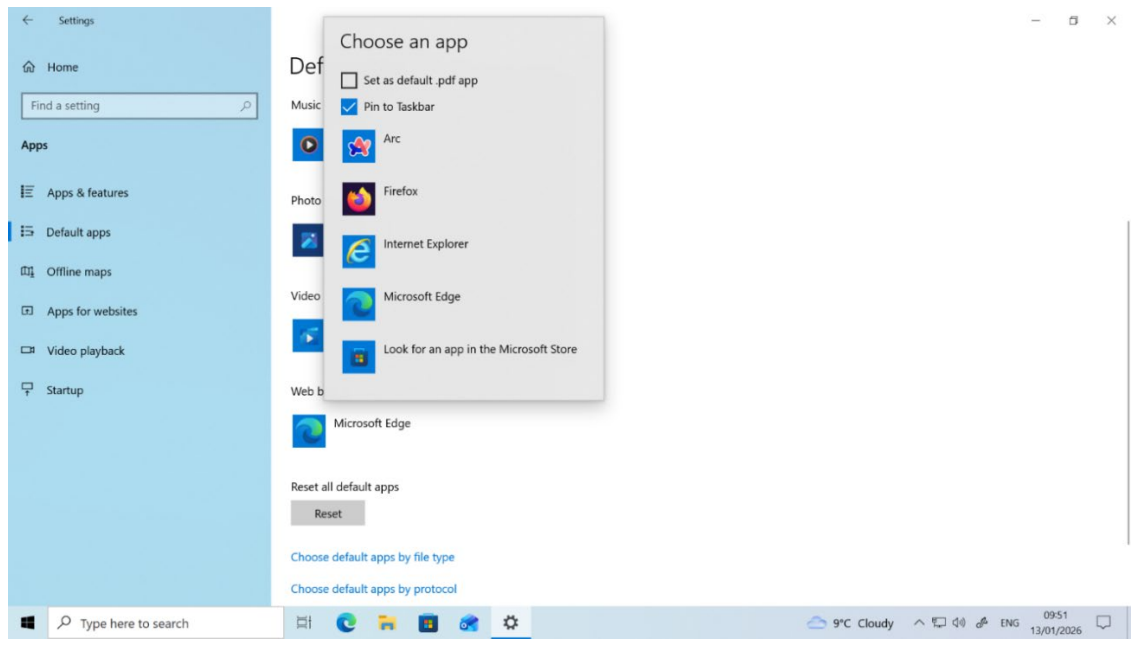
It can happen, for functional reasons or user experience, that programs — from Microsoft or third parties — open links and/or files in applications other than the default ones. Bing and Start Experiences, preloaded and enabled respectively as the search provider and as a feed/widget provider, are in this case. However, from now on they open web content in the default browser rather than in Edge.
Windows provides an API that can be used to ask the user to set a default app (it opens the system settings). Henceforth, Edge no longer asks to be set as the default app simply when opened as “the browser,” but not when launched for other purposes, such as reading a PDF.
Search, widgets and feeds
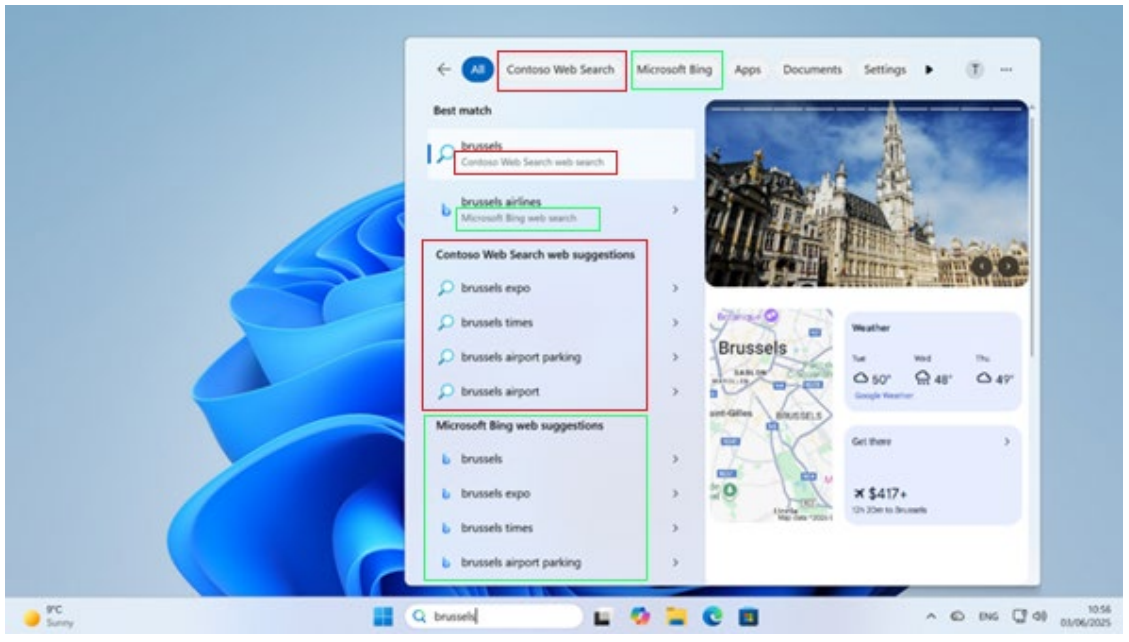
The search box in the taskbar enables MSIX apps to deliver web results supported by public APIs.
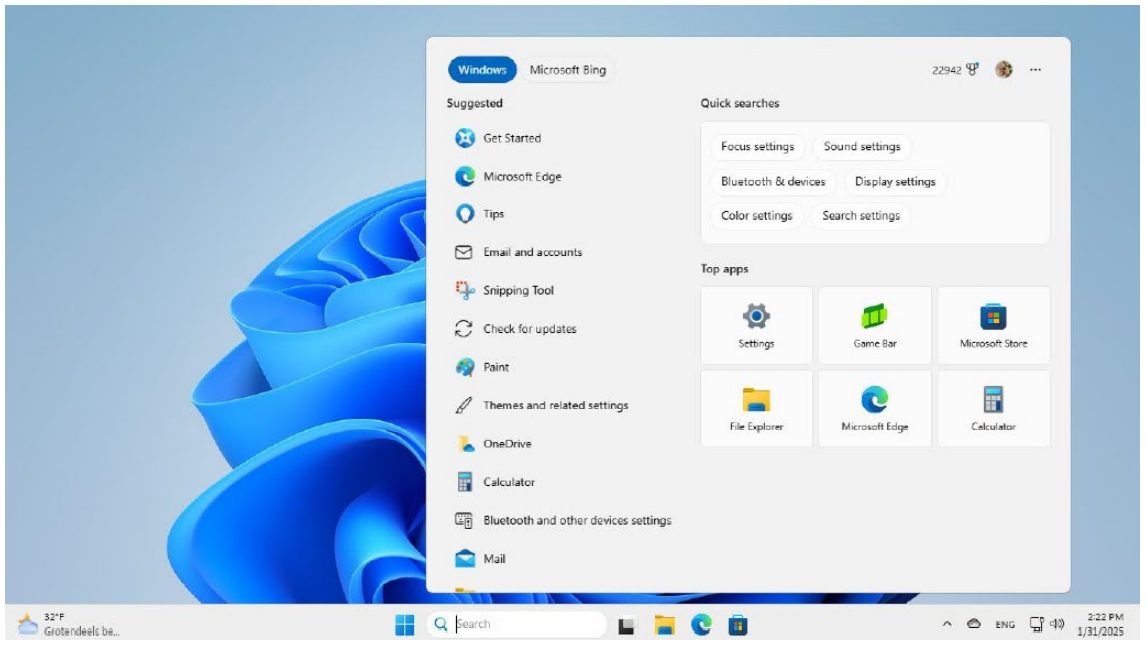
Now, when you install an application that implements such a search provider, it is automatically activated. A notification informs the user.
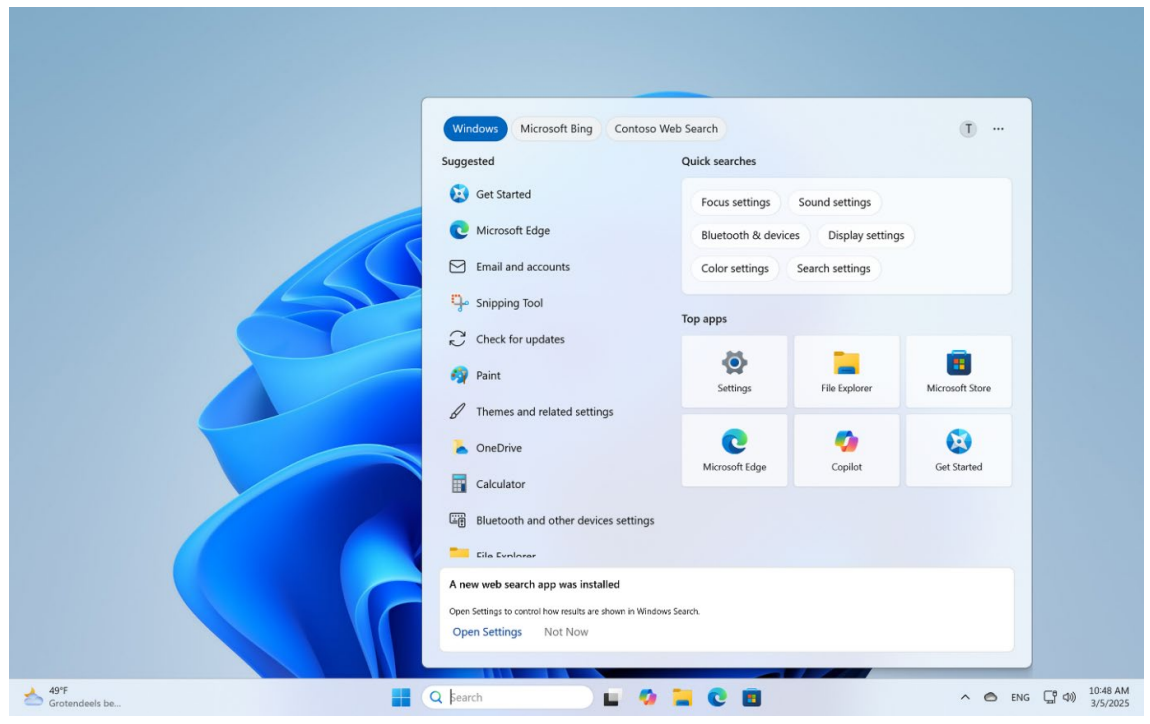
In Windows Settings, you can enable, disable and reorder the providers.
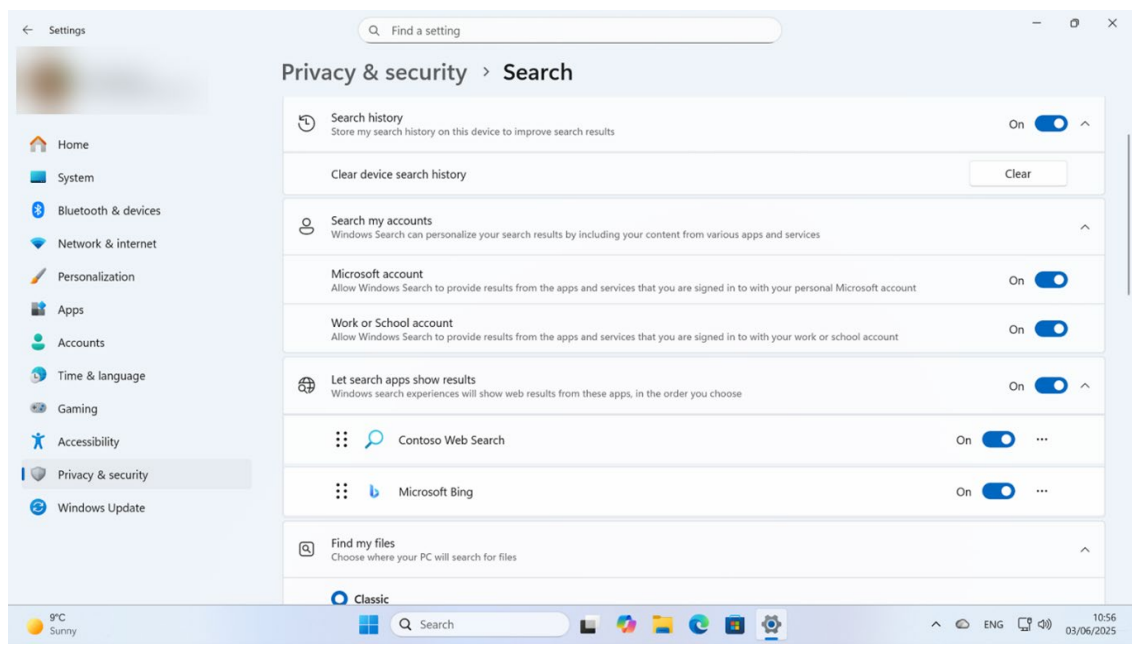
Windows Search presents results in accordance with the predefined order.
Windows 11 also allows apps — MSIX and PWAs — to feed widgets and feeds via public APIs. Widgets now appear on the lock screen. You can add, remove and rearrange them.
* In the EEA, Windows 10 and 11 always open the default app. The same generally applies worldwide, with exceptions for help content and those that Spotlight shows on the lock screen. Both open in Edge.
