
Microsoft 365 Copilot saves an average of 26 minutes per day per person.
The British government announced this figure in mid-2025, following a three-month pilot with 20,000 licenses distributed across 12 organizations.
Microsoft has leveraged this feedback to shape the underlying methodology for a feature recently added to the Microsoft 365 admin center. Specifically, it concerns the estimation of the business value produced by Cowork, Copilot’s agentic mode.
This methodology defines eight task categories. For each category, it provides time-saving ranges in minutes, with a lower bound, a higher bound, and a “typical” value.
Analysis and Research
The typical value — 67 minutes saved per task — stems from a 2025 Stanford study titled “Job Loss Fears in the First Years of Generative Artificial Intelligence.”
This study examines the gains that generative AI brings across 18 O*NET categories (the U.S. Department of Labor’s job and skill database). Microsoft maps these to analysis and research processes, reviews the results for the relevant categories, and then computes the average.
| O*NET Category | Mapping | Time saved |
| Critical thinking | Question framing | 75 min |
| Active learning | Information assimilation | 50 min |
| Quality control | Source validation | 67 min |
| Judgment and decision making | (same) | 51 min |
| Problem solving | Information integration and drafting a draft | 92 min |
Microsoft provides an instruction example for which the observed gain aligns with the typical value (18 minutes instead of 85):
Extract attrition data from the latest quarter, identify the main explanatory factors, cross them with NPS verbatims, and prepare a one-page synthesis for the Friday quarterly review.
The high value — 92 minutes — corresponds to the largest gain observed in the Stanford study (problem solving). The low value — 30 minutes — stems from a 2023 McKinsey study (“The economic potential of generative AI,” apparently). It reports an uplift of 25 to 40% on analysis work. Microsoft applies this to a task starting at 60 minutes and derives a 30-minute gain.
Document and Content Creation

The typical value arises from an internal study of 72,186 Word users across 1,021 Microsoft 365 tenants in the United States.
This study highlights a gain of 6.1 minutes per interaction. Microsoft, however, arrives at 24 minutes saved by estimating that tasks typically involve four interactions (drafting, rewriting, formatting, polishing). It notes that the British government’s after-action confirms this gain. The same applies to the following instruction:
Transform this attrition analysis into a nicely produced one-page executive summary — sober tone, chart captions, and a highlighted box for the recommendation.
The high value pertains to long documents with multiple rewrite cycles. The low value covers “quick drafting and light editing.”
Emails

Microsoft relies on a study published in 2025 by the National Bureau of Economic Research (a private, nonprofit organization): “Shifting Work Patterns with Generative AI.”
This study reports an experiment involving roughly 6,000 employees across about fifty organizations. Copilot saved an average of 2 hours per week on email processing workflows. Before the experiment began, the average weekly responses per thread were 14.5. By dividing the two hours by this figure, you get roughly 8 minutes per response; hence the typical value. An example instruction that corroborates this value:
Check the thread about the contract renewal (8 messages, 2 attachments) and draft a reply that maintains our pricing. Flag any engagement risk in light of the scope of work.
The high value uses the same source but for more “complex” responses (context spread across several messages and attachments).
The low value comes from a 2023 MIT study (“Experimental evidence of the productivity effects of generative artificial intelligence”). It reports 3 minutes saved per email for “quick replies.”
Meetings
Microsoft consults an annex to its Work Trend Index 2023 report: “What Can Copilot’s Earliest Users Teach Us About Generative AI at Work?”
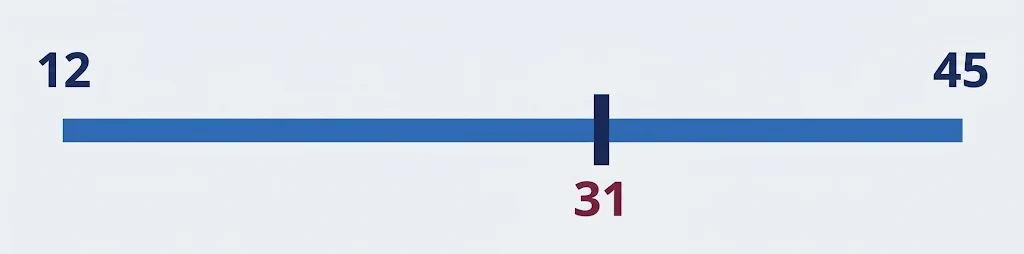
This report chronicles an experiment with 57 employees who were asked to “catch up” on a missed 35-minute Teams meeting. Copilot users completed the task in an average of 11 minutes 13 seconds, while those without AI took 42 minutes 34 seconds. Microsoft derives the typical value from this. It also provides the following instruction:
Over the past two weeks, we had 3 design-sync meetings on the authentication rewrite. Retrieve all of them, highlight what we actually decided versus what remains open, flag the points where we disagreed, and publish a consolidated update in the team channel naming the owners of the two open questions.
The low value comes from a methodological document linked to the same Work Trend Index (« Early LLM-based Tools for Enterprise Information Workers Likely Provide Meaningful Boosts to Productivity »). It concerns summaries of short, well-structured meetings.
The high value combines the typical value with a figure from the same methodological document (average daily gain per user on meeting-related tasks).
Communication

Microsoft relies on its Work Trend Index 2024.
The report highlights an average gain of 14 minutes per day on communication tasks. Assuming 7 interactions per task, this translates to roughly 2 minutes gained per interaction, which yields the typical value. Microsoft derives the typical value by assuming that each activity comprises two steps: an automation rule and a draft generation. Its example instruction:
I am going to be absent Friday. Review my mentions in channels this week, draft handover notes in each open thread, and schedule an away message in my standup channel.
The high value comes from the MIT study used for the email portion.
Specialized Workflows

The typical value stems from a study Microsoft commissioned from Forrester in 2024 (“The Total Economic Impact Of Microsoft Power Automate”).
This study forecasts an average of 200 hours saved per year for information workers through end-to-end automated workflows. With 250 workdays per year and 1.5 workflows per day, Microsoft calculates about 32 minutes gained per automation. It adjusts this to 25 minutes, noting that a specialized task run in Copilot Cowork involves fewer steps than a full orchestration scenario deployed under Power Automate. Example instruction:
A new Level 1 support ticket has just arrived. Classify it, fetch the client’s contract level in the CRM, draft a reply using the appropriate SLA language, notify the on-call engineer in Teams, and log the action in SharePoint.
The low value corresponds to the gain the British government observed for planning and administration actions within a monosystem context.
The high value is drawn from the Stanford study used for analysis and research. It concludes an average gain of 48 minutes per task on time-management activities (priority arbitration, calendar coordination, rescheduling). Microsoft adjusts downward to avoid an excessive theoretical cumulative effect in contexts where interactions accumulate to reconstruct a complete task.
Coding

Microsoft relies on a 2024 study to which two of its researchers contributed (“The Effects of Generative AI on High-Skilled Work: Evidence from Three Field Experiments with Software Developers”). In a sample of 4,867 developers, it found an average 26% increase in the volume of validated pull requests. Microsoft translates this into 18 minutes saved on a 70-minute task, and multiplies this gain across three stages (writing, testing, debugging). Example instruction:
Create a Python script that predicts attrition from the CRM export — train/test split, basic feature engineering, and a short evaluation report.
The low value comes from a 2023 study in which a Microsoft Research researcher participated (“The Impact of AI on Developer Productivity: Evidence from GitHub Copilot”). In that study, 95 developers were tasked with implementing a HTTP server in JavaScript. Without AI, the task took an average of 161 minutes; with GitHub Copilot, it took 71 minutes. Microsoft reports this as a gain of 21 minutes for a 71-minute task.
The high value stems from the Stanford study, which assumes a five-activity task (writing, testing, debugging, commit, review) with 20 minutes gained on each activity.
General Assistance

Microsoft relies on a 2025 study in which one of its researchers participated (“Generative AI at Work”).
According to this study, AI-assisted assistance increases customer-service agents’ productivity by an average of 14%. This translates into a saving of 5 minutes per interaction when seeking an explanation or assimilating a notion. The following instruction corroborates this value:
Reformat this list of about 80 customer names into a clean, comma-separated string, deduplicated and alphabetized.
The high value comes from the same study, but applies to junior agents. The low value is taken from the Work Trend Index 2024.
